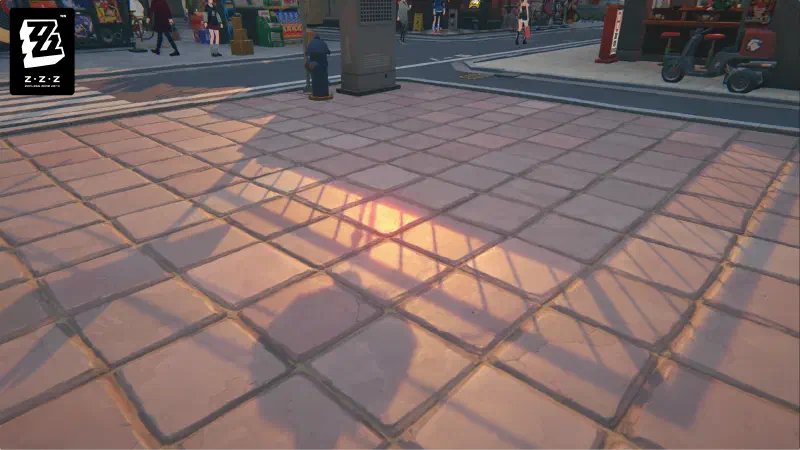
I think Genshin Impact’s environments look great. The developers went to great lengths to make the lighting and atmosphere feel special.
But one thing always stood out to me: the directional shadows. Unlike what’s usually seen in games, they feature a highly saturated transition.
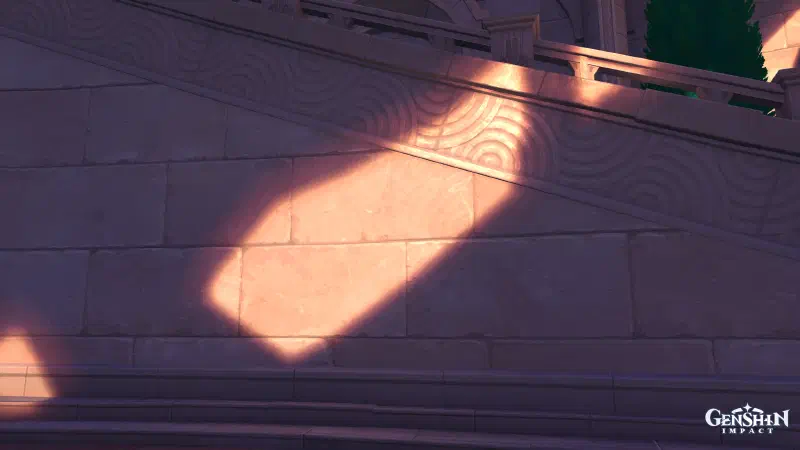
In this post, i will try to break it down and implement it.
Breakdown #
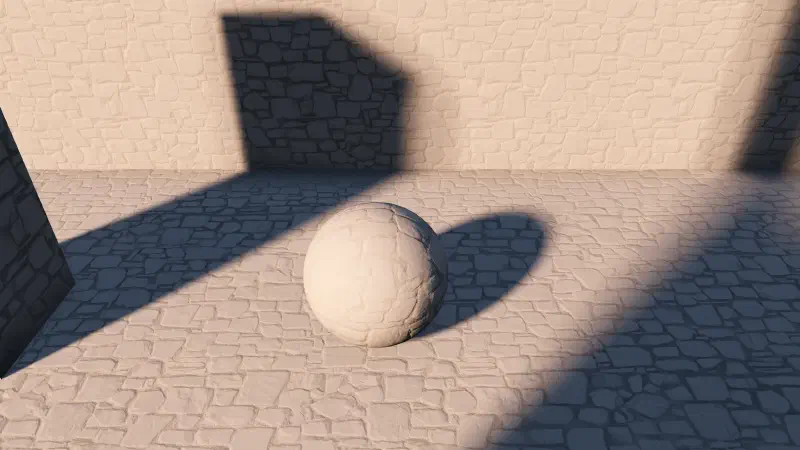
If we look closely at the reference image above, we can see that the light’s color gets more saturated as it gets closer to the cast shadow. In other words, the shadows penumbra has a color gradient!
This effect, in its most basic form, can be achieved by simply blending the directional light’s color with a saturated version of it and using shadow attenuation as the blend alpha.
Implementation #
For this implementation, I’m going to use Godot. Its default shadows have really good-looking penumbras (for a real-time renderer), and it’s very easy to edit the lighting shader. Also, instead of passing the penumbra color as a separate uniform, I’m deriving a saturated version of the light color directly to keep the shader code self-contained.
#define SATURATE_COLOR(col, sat) (mix(vec3(dot(col, vec3(0.2126, 0.7152, 0.0722))), col, sat))

void light() {
  float NoL = clamp(dot(NORMAL, LIGHT), 0.0, 1.0);
  float shadow_atten = ATTENUATION;
  vec3 default_light_col = LIGHT_COLOR / PI;

  vec3 edited_light_col = SATURATE_COLOR(default_light_col, 3.5);

  vec3 light_color = mix(edited_light_col, default_light_col, shadow_atten);

  DIFFUSE_LIGHT += NoL * shadow_atten * light_color;
}
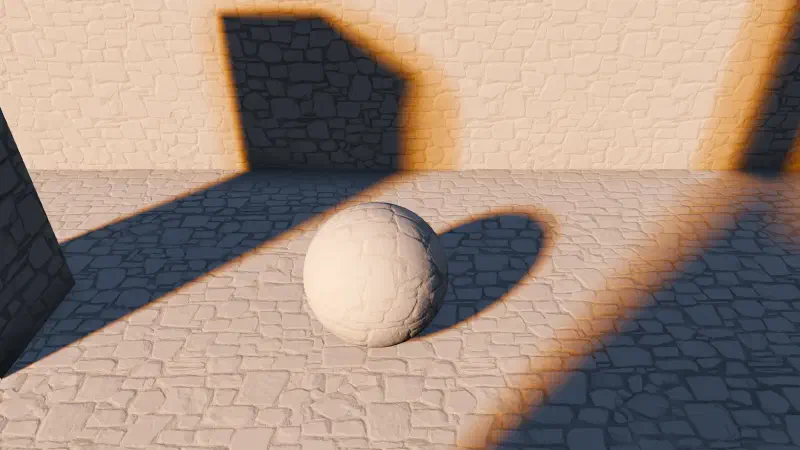
And just like that, we get beautiful colored penumbras.
Additional Thoughts #
Physically Based Alternative #
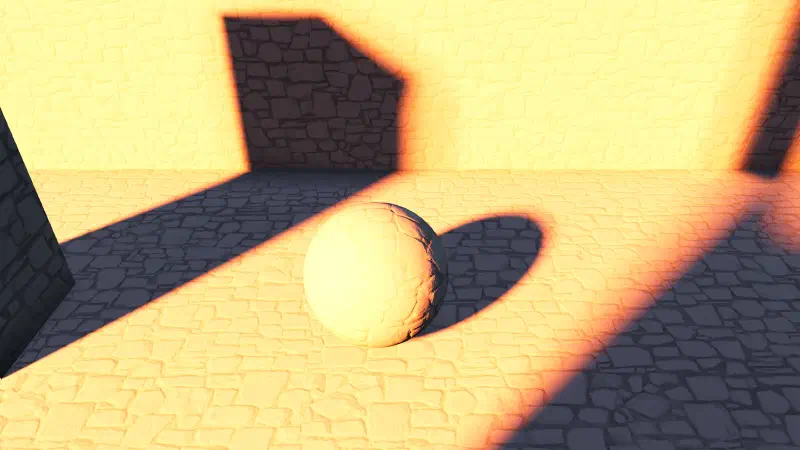
The implementation above works well for stylized games, but it isn’t physically accurate (which is fine). We could attempt to achieve a similar effect through the default PBR pipeline. By using a fully saturated, very high-intensity light, and rely on the tonemapper (like ACES) to roll off the colors.
Baked Lighting #
While this effect can elevate a game’s art direction, it relies heavily on wide shadow penumbras. Real-time soft shadows are expensive to compute, and standard engine shadow maps rarely provide the smooth gradients needed to make this effect visible. The only reason the real-time examples above look decent is because the shadow quality settings were completely maxed out.
A viable alternative is integrating this effect into static lightmapping, since baked lightmaps can potentially have path-traced quality (for diffuse lighting at least).
By modifying the source code of a lightmapper (such as Unreal Engine’s Lightmass or Bakery GPU Lightmapper for Unity) we can bake these colored penumbras directly into the lightmap.
Specular Highlights #
HoYoverse’s other title, Zenless Zone Zero, has a similar effect. However, from what I can tell, they apply it only where there are specular highlights.